Supported Hardware
PacketRF is written so the firmware core is not locked to one board forever, but that does not remove the practical question every new user has first: what do I actually need on the bench today?
Right now there are two practical ways. A Raspberry Pi Pico 2 with an SI4463 module is the right starting point for almost everyone, and the custom RF Baseboard Rev A is the longer-term target for a more integrated node. Anything else is an experiment, and that is fine — RP2350 is a flexible MCU and the firmware is written so other boards can be added without ripping the rest of the project apart. But the supported, tested, "works today" answer is one of those two.
A note on the bare-Pico path
You do not strictly need the SI4463 module to try PacketRF. A Pico 2 on its own is enough to bring the firmware up, get a USB Ethernet interface on your host, talk to the management interface, generate an admin key, explore the schema, and generally get a feel for how the system behaves — the radio side will simply be inactive. It is not a useful deployment (no NPR, no real RF), but if your fingers itch on a free evening and the radio module has not arrived yet, this works. It is also a perfectly good way to follow the Quick Start and the Management CLI without touching an antenna.
Raspberry Pi Pico 2 plus SI4463
If you want the shortest path from a fresh repository checkout to real RF on the air, build this. It is cheap, it goes together with a few jumper wires, and it is enough for a fully usable NPR node — slave or master.
You need:
- a Raspberry Pi Pico 2 (RP2350)
- one SI4463-based radio module that exposes SPI and an IRQ pin
- an antenna appropriate for your module and the 70 cm amateur band
- a USB-C cable for power, flashing and management
- a breadboard or a short hand-made wiring harness
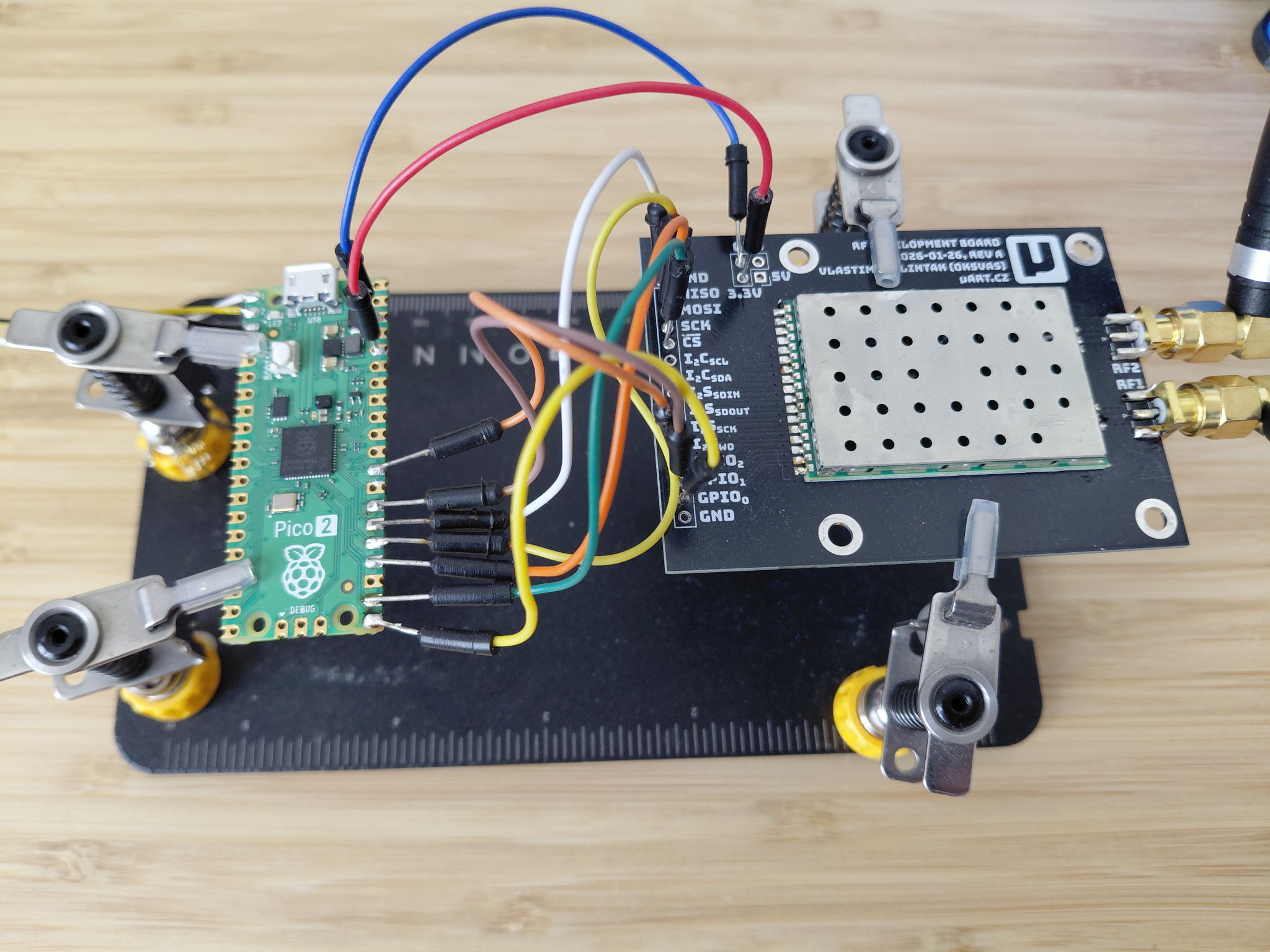
The SI4463 module in the photograph is a uArt.cz design, but PacketRF is not tied to it. The firmware works with SI4463 modules in general as long as the SPI bus and the IRQ line are accessible. What does matter is the rest of the RF path: filtering, harmonics, return loss, antenna match. With minimal hand-wired builds it is very easy to put something on air that decodes fine in a lab and is unwelcome on a real band. SPI working is not the same as the spectrum being clean. Look at it on an SDR before you transmit, especially at higher modulation profiles where the channel is quite wide.
Pinout
The current Pico 2 board definition lives in boards/rpi_pico2.h and uses the following GPIOs for the radio:
| Signal | Pico 2 GPIO |
|---|---|
| Radio SPI SCK | 18 |
| Radio SPI MOSI | 19 |
| Radio SPI MISO | 20 |
| Radio CS | 17 |
| Radio nIRQ | 22 |
SDN (the shutdown line on some SI4463 modules) is not wired in the default Pico 2 build. Treat boards/rpi_pico2.h as the authoritative source — if a documentation table here ever drifts, the code wins.
For the first boot you will probably also want a 3.3 V UART adapter on pins 1 (TX), 2 (RX) and 3 (GND), so you can read the bootstrap code from the debug log. That is described in Quick Start.
Pico 2 plus SI4463 plus W5500 Ethernet
The same build extended with a W5500 Ethernet module turns into a small, self-contained multi-interface node. It is still a bench build, but it is already a useful one: NPR on the air, Ethernet on the wire, USB CDC-NCM on the host, and PARP doing the bridge work between them.
The current board definition (boards/rpi_pico2.h) wires the W5500 to SPI controller 1:
| Signal | Pico 2 GPIO |
|---|---|
| W5500 SCK | 10 |
| W5500 MOSI | 11 |
| W5500 MISO | 12 |
| W5500 CS | 13 |
| W5500 INT | 14 |
| W5500 RST | 15 |
Treat the header as the authoritative source — if anything in the table ever drifts from the code, the code wins.
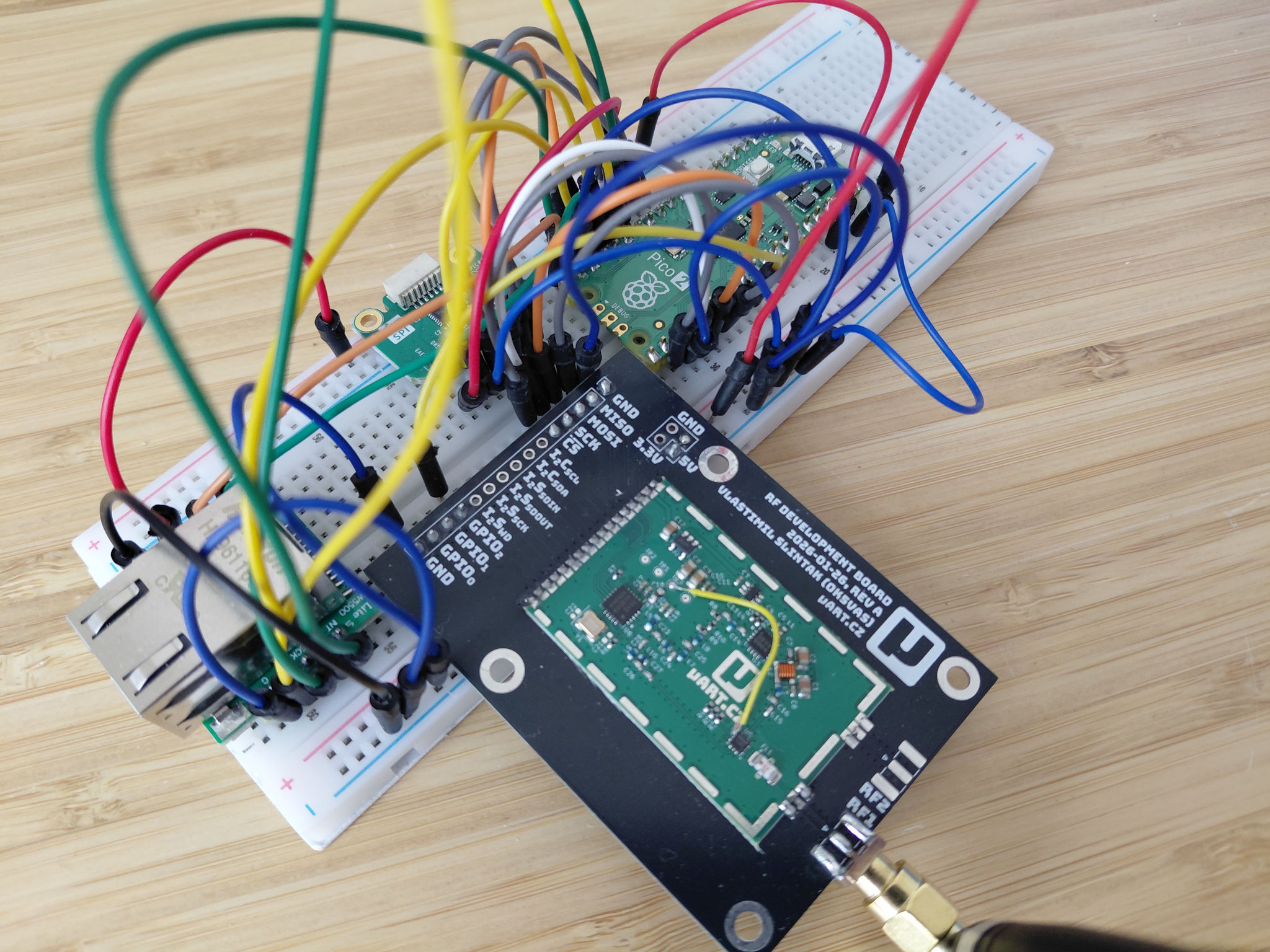
If you want a real PacketRF node now and the RF Baseboard is not available yet, this is the build to make. It is what most of the day-to-day development on the firmware actually runs on.
RF Baseboard Rev A
The RF Baseboard is the intended main PacketRF hardware. It is built around an RP2350B and is meant to host a more complete node with USB, Ethernet, two radio module slots, and room for additional features like audio codec experiments for classic packet radio.
Current specs of the prototype:
- RP2350B
- two radio module positions (so the platform can host more than one radio)
- USB-C
- W5500 Ethernet
- 16 MB flash
- optional 8 MB PSRAM
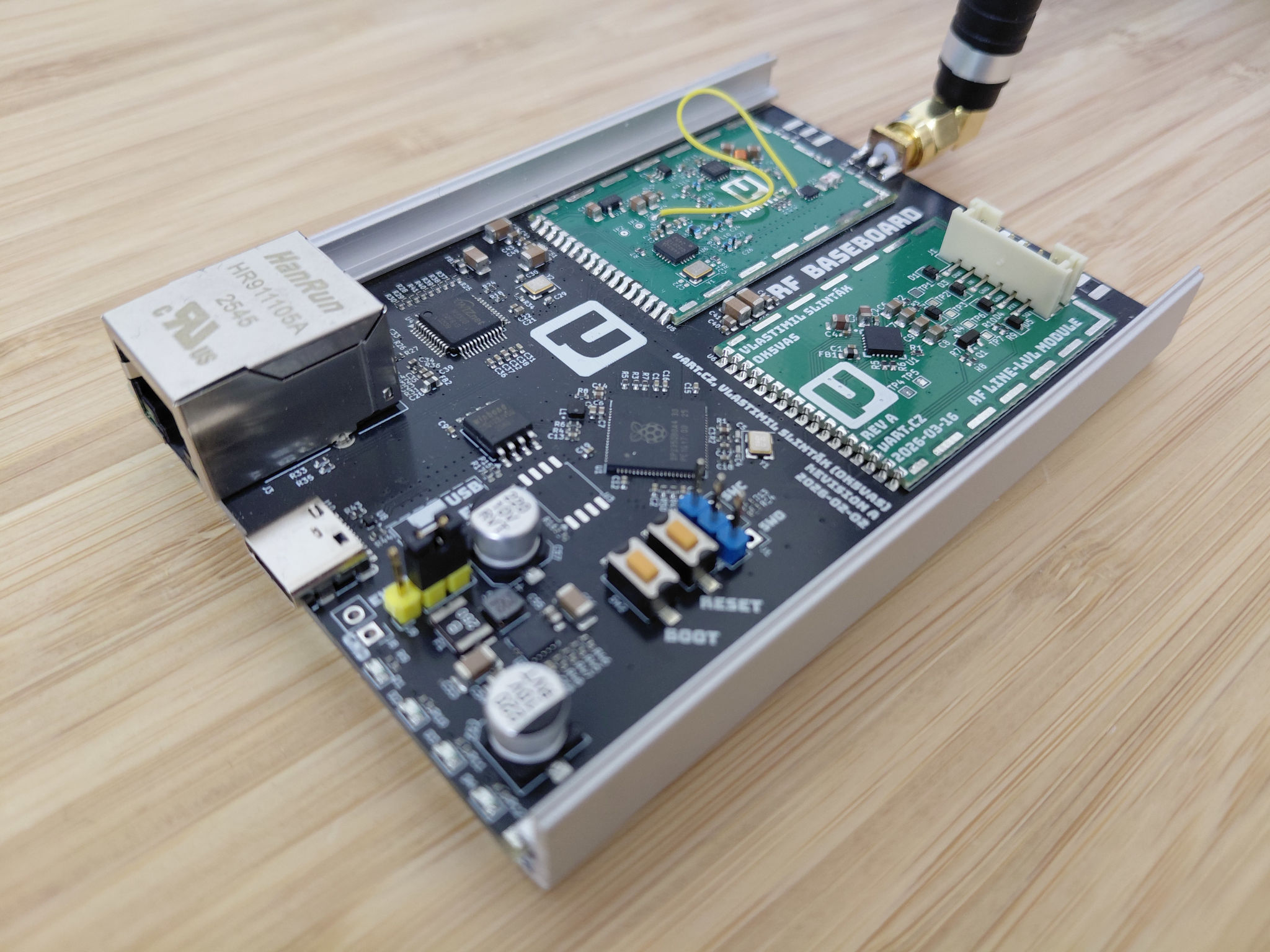
The board definition is in boards/uartcz_rf_baseboard_reva.h. The board itself is not yet a public product. It is an internal engineering target, not something a new user can simply order off the shelf today. If that changes, this page will be the first to know.
Build targets
The repository ships these CMake presets for the boards above:
packetrf-pico2-debugpacketrf-pico2-releasepacketrf-rfbb-a-debugpacketrf-rfbb-a-release
The make wrapper in the repository root exposes the same builds without typing the full preset name; that is what most people end up using. See Quick Start and the top-level README for the manual CMake form.
A small example, building a release image with reduced log verbosity:
cmake --preset packetrf-pico2-release -DLOG_LEVEL=WARNING
cmake --build --preset packetrf-pico2-release --target packetrf_fw
RF reality check
One paragraph that does not really fit anywhere else but matters more than most.
A neatly soldered SI4463 module in a tin can is not automatically a clean transmitter. Most readily available modules are designed for ISM use at much narrower bandwidths than NPR uses at higher modulation profiles, and on the 70 cm amateur band you have neighbours that are easier to upset than on 433 ISM. Before any of these builds go on a real antenna, look at the output on an SDR; check harmonics; consider proper filtering between the module and the antenna. PacketRF goes out of its way to be a friendly member of the band, and the hardware needs to do the same.